
Prove AI in 2, 3 Pilot Cycles for Business Analysts
AI helps business analysts most in four places: requirements elicitation, data exploration, report drafting, and meeting summarization. The fastest path to value is a small pilot, not a platform rollout. Pick one recurring task, most analysts start with requirements elicitation or a weekly status report, run it with AI for two or three cycles, and measure time saved and error rate before scaling. Governance and review rules should exist before the pilot expands past one team, ensuring executive confidence through reliable U.S. Market Intelligence for AI-driven insights.
TL;DR:
- AI requirements elicitation can surface up to 73.7% of requirements in initial interviews, but human validation remains essential.
- Small, focused pilots should measure success through requirement coverage, hours saved, and stakeholder satisfaction before scaling.
- Using structured prompt patterns and validation with confidence scores improves the reliability of AI-generated requirements and artifacts.
- AI tools like Segua can convert recordings into structured specifications, Gantt charts, and decision logs, drastically reducing manual effort.
- Prioritizing coverage and traceability during pilot projects delivers more value than polishing presentation or completeness.
Table of Contents
- Core Ways Business Analysts Use AI for Requirements Gathering and Analysis
- Tools and Prompt Patterns That Fit BA Workflows
- How to Run Your First AI Pilot as a Business Analyst
- Building an AI Skill Set: Training and Learning Paths for BAs
- How Segua Maps AI to Real BA Deliverables
- Author Perspective: What to Prioritize First
- Try Segua: What to Test During Your Pilot
- Sources
- FAQ
Core Ways Business Analysts Use AI for Requirements Gathering and Analysis
AI for business analysts isn’t one tool doing one job. It’s a set of narrow capabilities that slot into specific parts of the BA workflow, each with its own accuracy ceiling.
Requirements elicitation is the area with the most surprising evidence. An LLM-based interview agent in a controlled study elicited up to 73.7% of requirements across 33 simulated stakeholder interviews, with error rates close to human interviewers. That’s not a replacement for stakeholder conversation. It’s a way to run a first-pass interview, surface edge cases the analyst might not think to ask about, and free up senior time for the ambiguous parts.
Data exploration works differently. Generative BI tools and copilots let you ask a question in plain language and get a SQL query, a Python snippet, or a chart back, cutting the time between “I wonder if” and an actual answer.
Report drafting is where AI drafts the narrative and visuals from your analysis, but you validate every conclusion before it goes to a stakeholder.
Process modeling and meeting summarization round it out: AI can generate a first-draft process map, flag contradictions between two stakeholder statements, and convert a recorded meeting into structured artifacts linked back to the decisions made.
- Requirements elicitation: AI-run interviews surface gaps faster, human confirms scope
- Data exploration: natural-language queries replace manual SQL for routine pulls
- Report drafting: AI writes the first version, you own the conclusions
- Process modeling: AI-generated diagrams need a human check for logic gaps
- Meeting summarization: recordings become traceable artifacts instead of scattered notes
Pro Tip: Don’t hand AI your most political stakeholder interview first. Start with a low-stakes, well-scoped feature so you can judge accuracy without organizational pressure clouding the result.
Tools and Prompt Patterns That Fit BA Workflows
Four tool categories cover most of what a business analyst needs. LLM copilots handle drafting, summarizing, and answering “what am I missing” questions. Generative BI platforms connect to your data sources and answer analytical questions without a query language. AI interview or elicitation agents run structured stakeholder conversations, sometimes in parallel across multiple stakeholders, cutting scheduling friction. Excel and Sheets copilots handle quick formula work, pivot logic, and cleanup that used to eat twenty minutes per file.
The prompt patterns matter more than the tool choice. Four are worth learning first:
- Context injection, feeding the model your domain glossary, business rules, and prior specs before asking it to draft anything
- Least-to-most prompting, breaking a complex elicitation into small sequential questions instead of one broad ask
- Example-anchoring, showing the model two or three real requirement statements so its output matches your team’s format
- Interview templates, a repeatable script structure the agent follows so every stakeholder gets a comparable interview
One structural detail deserves attention: research into elicitation agents found that a concise, carefully engineered prompt let GPT-4o move between probing questions and follow-ups in a way that resembled a trained human interviewer. Sloppy prompts produced choppier, less useful interviews.
The workflow that keeps this reliable is simple: AI drafts, a human inspects, and every claim gets evidence attached before it moves forward. Open-source patterns like specBuilder show how teams export structured spec.json files from an AI-run interview, which lets developers consume requirements directly and lets you validate them automatically instead of re-reading a transcript.
How to Run Your First AI Pilot as a Business Analyst
A pilot works when it’s small, measured, and time-boxed. Here’s the sequence that keeps it from sprawling into an unmanaged experiment.
- Pick one narrow use case. Elicit requirements for a single small feature, or automate one recurring report. Avoid anything touching multiple departments in round one.
- Define success metrics before you start. Requirement coverage percentage, hours saved per cycle, an accuracy threshold you’ll accept, and a simple stakeholder satisfaction check.
- Assemble context. Domain glossary, existing business rules, past specs, and any terminology the model needs to sound like your team instead of a generic assistant.
- Design the prompt or agent script, then dry-run it on synthetic data before it touches a real stakeholder or a live dataset.
- Validate every output. Check that each requirement traces back to a specific transcript line or source document, and log every failure or edge case you find. This step is where most pilots either earn trust or lose it.
- Decide on rollout. Build a short training plan for the next team, set a review cadence, and write down the governance rules before anyone outside the pilot touches the tool.
Pro Tip: Tag every AI-derived requirement with a confidence score and a source timestamp during validation. It turns a vague “does this look right?” review into a five-minute spot check.
Skipping step 2 is the most common failure mode. Without a defined metric, “the AI seemed helpful” becomes the entire evaluation, and that’s not something you can defend when someone asks for the pilot’s actual return.
Building an AI Skill Set: Training and Learning Paths for BAs
Skip anything that’s theory-only. The training worth your time includes a project you can point to afterward. Specializations like the Generative AI for Business Analysts program on Coursera lean toward hands-on modules covering prompt engineering and applied use cases rather than lecture-style overviews, and that project-based structure is what to look for regardless of provider.
Beyond a course, the fastest skill builder is running one real project end to end. Do a small elicitation or reporting task with AI assistance, save the before and after artifacts, and put both versions in your portfolio.
What to prioritize when comparing programs:
- Hands-on tooling time, not just concept slides
- Explainability practices: does the course teach you to trace outputs back to sources?
- Structured output work: JSON, PRD templates, or spec formats you’d actually hand to a developer
- Continuing education credit only when it comes bundled with real project work, not a quiz
A credential with no project component is a certificate. A credential with a working artifact attached is a skill.
How Segua Maps AI to Real BA Deliverables
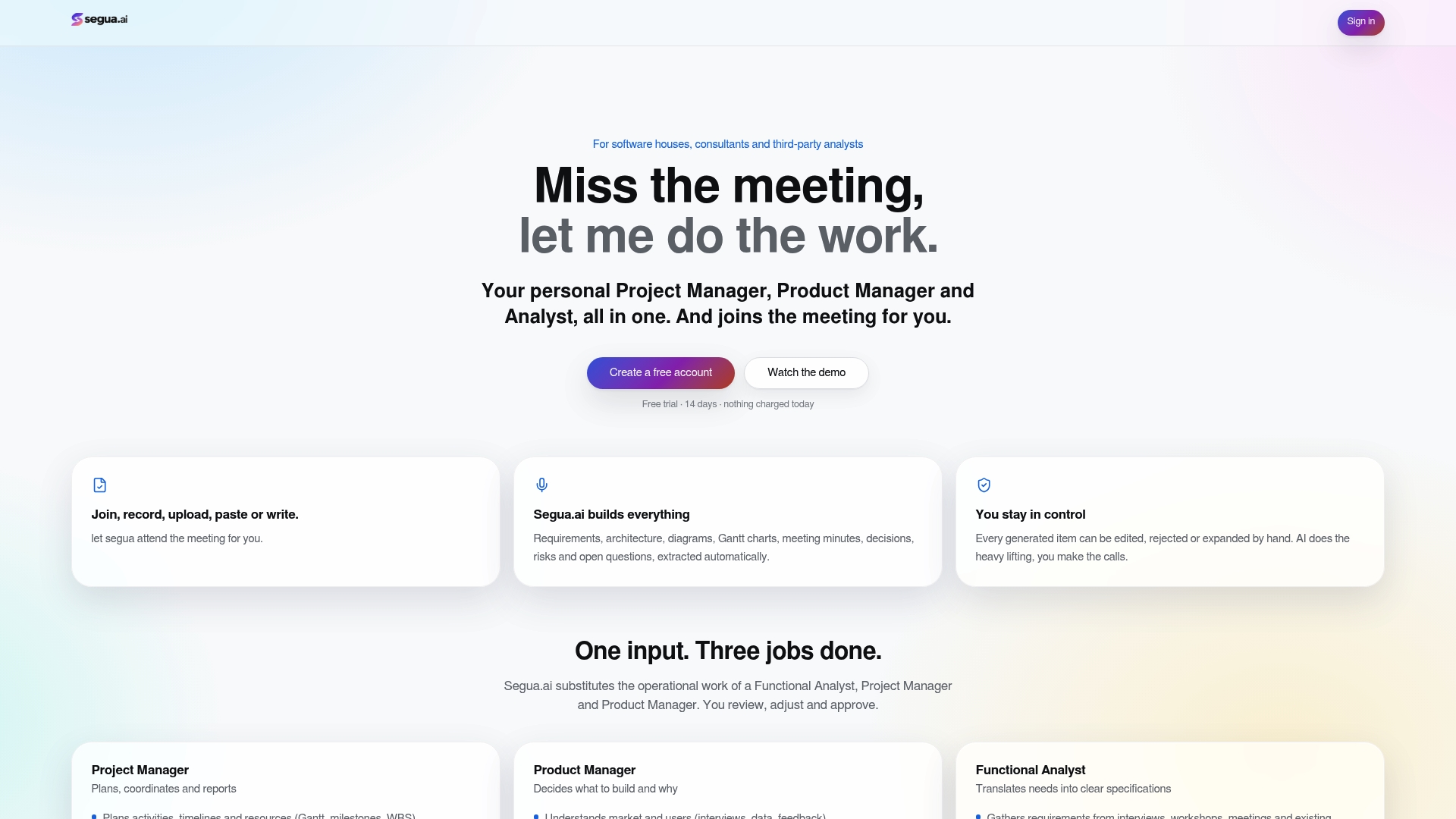
Segua.ai builds the specific outputs this article has been describing: Gantt charts, meeting reports, and requirement specifications generated directly from uploaded content or recorded meetings, covering the ground normally split across a project manager, product manager, and functional analyst.
- Converts recordings or documents into structured project artifacts automatically
- Tracks contradictions and unanswered questions across meetings so nothing gets lost between sessions
- Keeps outputs editable and exportable, so your review step stays human
If you’re running the pilot described above, a short trial on one real project is the fastest way to see whether the meeting-to-spec workflow actually saves the hours you’re hoping for.
Author Perspective: What to Prioritize First
Chase coverage over polish. A pilot that surfaces three missed requirements matters more than a beautifully formatted report. Attach evidence to every AI-derived claim, and keep a written record of what worked. That record becomes your ROI case later.
Try Segua: What to Test During Your Pilot
Most AI notetakers stop at a transcript. Segua goes further by turning that same recording into a requirements register, a Gantt chart, and a decision log, with contradictions and unanswered questions flagged automatically instead of buried in a document nobody rereads.
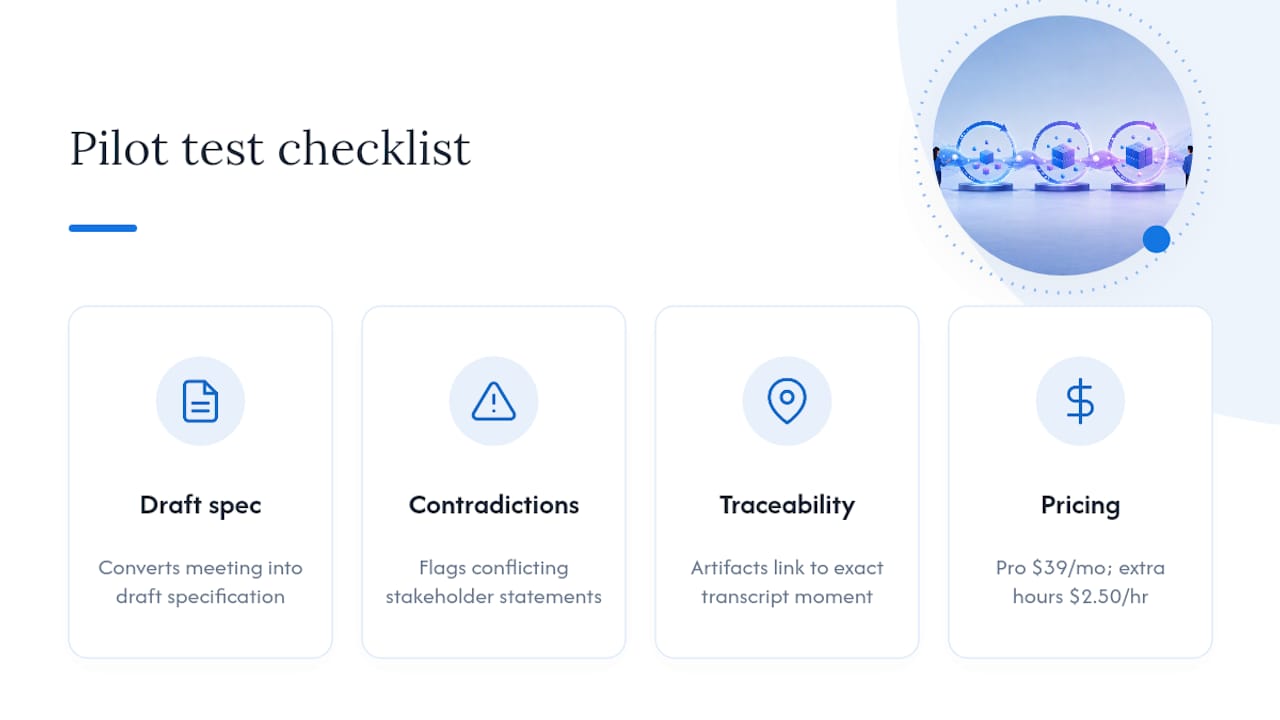
During a trial, test three things specifically: how cleanly a meeting converts into a draft specification, whether the contradiction tracker catches conflicting stakeholder statements you’d otherwise miss, and whether every generated artifact links back to the exact transcript moment it came from. Those three checks map directly to the pilot metrics covered earlier: coverage, accuracy, and traceability.
Segua’s Pro plan runs $39 per month, with extra meeting hours billed at $2.50 per hour, and Enterprise pricing available on request for larger teams. If you want to see how Segua stacks up against a basic notetaker before committing, the comparison page breaks down the difference in output depth. Otherwise, the fastest way to judge fit is to try it free and get meeting minutes in 30 seconds on your next real stakeholder call.
Sources
The LLMREI study on automating requirements elicitation, the Microsoft Work Trend Index on AI at work, and HBR’s analysis on humans plus AI outperforming AI alone underpin the claims in this article. For implementation context, see Segua’s use cases page.
- LLMREI study: automating requirements elicitation with LLMs
FAQ
What AI Is Best for Business Analysts?
There’s no single best tool, since BAs use AI across several distinct tasks: LLM copilots for drafting, generative BI tools for data exploration, and interview agents for elicitation. Platforms like Segua consolidate several of these into one workflow, generating specs, Gantt charts, and meeting reports from a single recorded session.
How Can a Business Analyst Use AI Day to Day?
Start with requirements elicitation or a recurring report, since both are narrow enough to measure and low risk enough to test safely. An AI interview agent can surface up to 73.7% of requirements in a first pass, leaving the analyst to focus review time on ambiguous or high-stakes items.
Will AI Replace Business Analysts?
Unlikely. Evidence points toward augmentation rather than replacement: analysts who combine human judgment with AI outperform those who rely on either alone. The BA role shifts toward reviewing, validating, and directing AI output rather than doing every task manually.
What Is the Best AI Course for Business Analysts?
Prioritize courses with hands-on projects over lecture-heavy overviews. Programs like the Generative AI for Business Analysts specialization on Coursera focus on applied prompting and use cases, which matters more for skill building than a certificate with no project attached.
How Much Does Segua Cost for a Business Analyst Team?
Segua’s Pro plan is $39 per month with extra meeting hours at $2.50 per hour, and a free trial is available to test the workflow first. Enterprise pricing for larger teams is available on request through the pricing page.