
Traceability First Jira Requirements: Audit Ready in an Afternoon
Native Jira works fine for requirements management on most agile teams, as long as you pair it with Confluence for authoring and a disciplined linking convention for traceability. Once you hit formal compliance audits, thousands of requirements, or the need for immutable baselines, add a marketplace plugin or move to a dedicated RM platform. Skip to the setup checklist below if you just need the field and workflow configuration.
TL;DR:
- Native Jira is sufficient for small teams with light compliance needs but lacks automated coverage and immutable baselines for formal audits.
- Combining Confluence with Jira enables readable requirements documentation linked directly to implementation issues, suitable for teams prioritizing clarity.
- Marketplace plugins add features like baselining, traceability matrices, and audit logs, making them essential for teams facing external audits requiring strict traceability.
- Moving to dedicated requirements management platforms is necessary when requirements number in the thousands or when immutable historical records are mandated by regulations.
- A practical setup involves creating a custom Requirement issue type with specific link types and validation rules, plus dashboards for ongoing oversight before investing in additional tools.
Table of Contents
- Choosing Your Approach To Jira Requirements Management
- How Does The Confluence And Jira Hybrid Method Work?
- Can You Manage Requirements Natively In Jira?
- What Do Marketplace Plugins Add To Jira Requirements?
- When Should You Move Beyond Jira To A Dedicated RM Platform?
- What Does A Practical Jira Requirements Setup Checklist Look Like?
- How Do You Link Requirements To Tests And Defects Correctly?
- How Do You Keep Jira Requirements Manageable As You Scale?
- How Automation Reduces Requirements Management Overhead
- The Pragmatic Middle Path For Requirements In Jira
- A Faster Way To Get Requirements Into Jira
- Sources
- FAQ
Choosing Your Approach To Jira Requirements Management
Most teams default to whatever Jira setup they already have, then wonder why traceability falls apart at audit time. The right starting point depends on team size, regulatory exposure, and how much backlog clutter you can tolerate.
Four approaches cover almost every scenario, and a practical guide to requirements management in Jira lays out this same continuum: native Jira, Confluence plus Jira, marketplace plugins, or external RM platforms. Each trades speed for auditability in a different way.
- Native Jira only: fastest to set up, works for small teams with light compliance needs, but offers no dedicated requirement entity or automated coverage calculation.
- Confluence + Jira hybrid: keeps discovery and specs readable for stakeholders while linking directly into execution issues, ideal for teams that already write specs in prose.
- Marketplace plugins: adds baselining, traceability matrices, and coverage metrics inside Jira, suited to teams that need audit trails but not a separate platform.
- External RM platforms: the choice for regulated industries needing immutable baselines and formal sign off workflows, at the cost of maintaining a second system.
The decision rule is simple: if your requirements rarely change once approved and you have fewer than a few hundred of them, stay native or hybrid. If a regulator, customer contract, or safety standard demands documented traceability history, budget for a plugin or an external tool from the start. Jumping straight to a heavyweight platform before you’ve measured your actual traceability gaps is how teams end up paying for capability they never use.
How Does The Confluence And Jira Hybrid Method Work?
Atlassian’s own guidance recommends documenting requirements in Confluence and using the Confluence-Jira integration to spin up linked issues for tracking execution. This hybrid pattern gives business analysts a readable authoring space while giving developers structured, workflow-driven tickets.
Here’s how to structure it without losing traceability along the way:
- Create a dedicated Confluence space per project or product line, with one page per requirement or logical requirement group.
- Assign every requirement a stable Requirement ID (e.g., REQ-101) in the page title or a labeled field, and never reuse that ID even after the requirement is deprecated.
- Use Confluence page versioning to track edits, and add a status label (Draft, Approved, Deprecated) at the top of each page.
- Link each approved requirement page to its corresponding Jira epic or story using the native Confluence-Jira link macro, not a plain URL paste.
- Add a checklist app to the linked Jira issue so acceptance criteria live as trackable checkbox items rather than buried text.
Community discussion on the Atlassian forums confirms there’s no single right mapping. Some teams use epics for high-level requirements and stories for detailed ones; others keep requirements entirely in Confluence and only create Jira issues once work is scheduled.
Pro Tip: Pair your checklist app with a workflow validator so an issue physically cannot move to “In Progress” until every acceptance criterion checkbox is ticked. That single rule catches more incomplete requirements than any review meeting.
Can You Manage Requirements Natively In Jira?
Yes, but with real limits. Jira has no dedicated requirement entity, so you’re modeling requirements using issue types built for something else. The capability gap analysis from CEUR found that Jira’s native structure relies entirely on issues and Confluence links, with coverage matrices and baselining left to plugins or outside tools.
Two viable native patterns exist:
- Issue hierarchy mapping: epics represent high-level requirement themes, stories represent testable requirements, and subtasks capture implementation work. This mirrors how most teams already use Jira, so adoption is nearly frictionless.
- Custom “Requirement” issue type: create a distinct issue type named Requirement, separate from Story or Bug, so requirements never get lost in a general backlog. Attach custom fields like Requirement Source, Priority Tier, and Compliance Flag.
To make either pattern trace properly, add these elements before you write your first requirement:
- A custom field for Requirement ID that stays constant even if the issue is cloned or moved.
- Link types named specifically, such as “implements,” “tests,” and “is duplicated by,” instead of relying on generic “relates to” links.
- A required field for Acceptance Criteria so no requirement issue can be created without testable conditions.
- A saved filter or dashboard that surfaces requirement issues with zero linked test or story issues.
The limitation you cannot configure your way around: Jira cannot calculate coverage automatically, and it has no concept of an immutable baseline. If a requirement changes, the issue history shows edits, but nothing locks a prior version for audit comparison. For teams that need that guarantee, native Jira stops being enough regardless of how carefully you set up custom fields.
What Do Marketplace Plugins Add To Jira Requirements?
Marketplace applications exist specifically to close the gaps native Jira leaves open. Research comparing Jira’s built-in model against marketplace apps found these plugins are the standard fix for teams needing formal traceability and compliance, adding structured hierarchies, exportable traceability reports, and audit trails that native Jira lacks entirely.
Expect a capable RM plugin to deliver:
- A dedicated Requirement entity separate from Story or Task, with its own hierarchy and status lifecycle.
- Baselining that locks a requirement version at a point in time, so you can compare “what we approved” against “what exists now.”
- Automated coverage calculation showing what percentage of requirements have linked tests or implementation issues.
- Traceability matrix generation, often exportable to Excel or CSV for stakeholders who never log into Jira.
- Audit logs recording who changed a requirement, when, and what the prior value was.
Plugins like Requirement Yogi typically bundle export paths and dashboard gadgets so coverage numbers show up on a screen leadership actually looks at, rather than buried in a filter only the BA checks.
Before installing anything, run this checklist against your actual gaps:
- Necessary: coverage calculation, baselining, and audit logging if you face any external audit.
- Necessary: bidirectional linking to test cases if QA currently tracks tests outside Jira.
- Nice to have: custom report templates and branded exports for executive stakeholders.
- Nice to have: AI-assisted requirement drafting or duplicate detection.
Conduct a gap analysis first. Many plugins add real capability, but every plugin also adds licensing cost, admin overhead, and one more system your team has to learn and maintain. Buying features you’ll use twice a year rarely pays for itself.
When Should You Move Beyond Jira To A Dedicated RM Platform?
Three signals tell you it’s time: formal compliance standards, requirement volume in the thousands, and a governance need for immutable history that plugins can’t fully satisfy.
Compliance frameworks like ASPICE and IEC 62304 typically require documented traceability from requirement to design to test to defect, with an audit trail proving nothing was altered without record. For regulated audits, expect to need immutable baselining, exportable traceability reports, and a full audit trail of who changed what and when, features often only fully available through dedicated RM modules or external platforms. Native Jira and most lightweight plugins fall short here, particularly on the immutability guarantee.
Scale triggers matter just as much as compliance:
- Thousands of active requirements across multiple products, where Jira’s issue-based model starts slowing down search and reporting.
- Traceability spanning multiple tools (a separate test management system, a hardware PLM tool, a customer requirements portal) that Jira was never built to unify.
- A hard requirement for baseline snapshots that regulators or customers can request on demand, unaltered.
When teams do migrate, the common integration pattern keeps Jira as the execution layer. Requirements live in the RM platform, sync to Jira issues via API or a connector app, and status flows back from Jira into the RM tool automatically. Teams self-hosting Jira should also check Atlassian’s own installation requirements, since infrastructure constraints can affect which integration pattern is even feasible.
What Does A Practical Jira Requirements Setup Checklist Look Like?
This is the configuration most teams can implement in an afternoon, without buying anything new.
- Create a custom issue type called “Requirement,” distinct from Story, with a dedicated workflow (Draft, Under Review, Approved, Implemented, Verified, Deprecated).
- Add custom fields: Requirement ID (auto-numbered, immutable), Source (stakeholder or document reference), Priority Tier, and Compliance Flag (yes/no).
- Define link types explicitly: “is implemented by” (points to stories), “is tested by” (points to test issues), and “is blocked by” (points to open questions or dependencies).
- Add a required Acceptance Criteria field, enforced through a workflow validator that blocks transition to “Approved” if the field is empty.
- Install a checklist app on linked story issues so each acceptance criterion tracks as a checkbox, not free text.
- Build a saved filter for requirements with zero “is tested by” links, reviewed weekly by whoever owns quality.
For ongoing visibility, a few JQL queries do most of the heavy lifting. To find uncovered requirements:
issuetype = Requirement AND status != Deprecated AND issueLinkType != "is tested by"
To flag requirements at risk of missing a release:
issuetype = Requirement AND status = "Under Review" AND fixVersion = "Next Release" AND updated <= -7d
Build a dashboard with three gadgets: a two-dimensional filter results table showing coverage by Requirement status, a pie chart gadget breaking down requirements by Compliance Flag, and a filter results gadget listing requirements untouched in over 14 days. Run this dashboard as a standing weekly review rather than only checking it before a release, since requirement drift compounds silently between checkpoints. The gap analysis approach recommended by CEUR researchers applies here too: measure what your dashboard actually reveals before deciding you need a plugin to automate what a saved filter already does for free.
How Do You Link Requirements To Tests And Defects Correctly?
Bidirectional traceability only works when your link types mean something specific. A generic “relates to” link tells a reviewer nothing about whether a requirement is tested, implemented, or merely mentioned in passing.
Set up semantic link types deliberately:
- “Is implemented by”: connects a requirement to the story or task that builds it.
- “Is tested by”: connects a requirement directly to a test case or test execution issue.
- “Is verified by”: connects a requirement to the specific defect or test cycle confirming it works as specified.
- “Duplicates” and “Is duplicated by”: prevents the same requirement from being tracked under two different IDs.
For test tracking, decide early whether you need a full integrated test-management tool or whether lightweight tracking through linked Jira issues and a checklist app covers your case. Lightweight tracking works for small QA teams verifying a modest issue count each sprint. Integrated test management earns its keep once you’re running formal test cycles with sign off requirements or regression suites numbering in the hundreds.
Watch for three recurring pitfalls:
- Mismatched scopes: linking one broad requirement to a dozen small stories with no clear mapping of which parts are covered creates a traceability matrix that looks complete but proves nothing.
- Missing acceptance criteria: a requirement without testable acceptance criteria cannot be meaningfully marked “verified,” no matter how many test links point to it.
- Link clutter: over-linking every tangentially related issue turns your traceability matrix into noise that nobody trusts enough to use during an actual audit.
How Do You Keep Jira Requirements Manageable As You Scale?
Growth is where most Jira requirements setups quietly fall apart. Deciding between a dedicated RM project and an integrated backlog early prevents a messy migration later. A separate RM project makes sense once requirements outnumber active development stories by a wide margin; an integrated backlog works fine while requirement volume stays modest.
Set a baselining cadence rather than baselining ad hoc. Many teams baseline at each major release or each formal review gate, whichever comes first, and treat any post-baseline requirement edit as a tracked change request rather than a silent update. That’s the lightweight change-control pattern that avoids a heavyweight change management process while still protecting audit history.

Governance shouldn’t be an afterthought. Assign a single requirement owner per project who reviews the uncovered-requirements filter monthly, and schedule a quarterly audit specifically looking for drift, meaning requirements that changed without a corresponding update to linked tests or stories.
How Automation Reduces Requirements Management Overhead
Segua.ai automates the heavy lifting behind requirements work: it generates structured requirement specifications directly from meeting recordings or uploaded documents, then actively tracks contradictions and unanswered questions so nothing gets missed between discovery and Jira execution. For business analysts drowning in meeting notes, that’s a meaningfully different starting point than writing every requirement by hand. Outputs export to Jira, Word, PDF, and CSV, which means the structured requirement work happens upstream and lands in Jira already organized rather than requiring a manual transcription pass.
The Pragmatic Middle Path For Requirements In Jira
Most teams over-engineer their Jira requirements setup before they’ve measured whether they actually need the complexity. Start with the minimum structure that gets you real traceability: custom issue type, meaningful link types, and a weekly dashboard review. Add a plugin or external RM platform only after a genuine gap analysis shows native Jira can’t answer a question that matters, like coverage percentage or audit history. Run the setup checklist for a month before you spend a dollar on tooling you haven’t proven you need.
A Faster Way To Get Requirements Into Jira
If your team spends more time writing up meeting notes into requirement documents than actually reviewing requirements, that’s the real bottleneck, not your Jira workflow. Segua.ai turns meeting recordings and uploaded documents directly into structured requirement specifications, complete with contradiction and open-question tracking, then exports the result straight into Jira, CSV, or PDF.
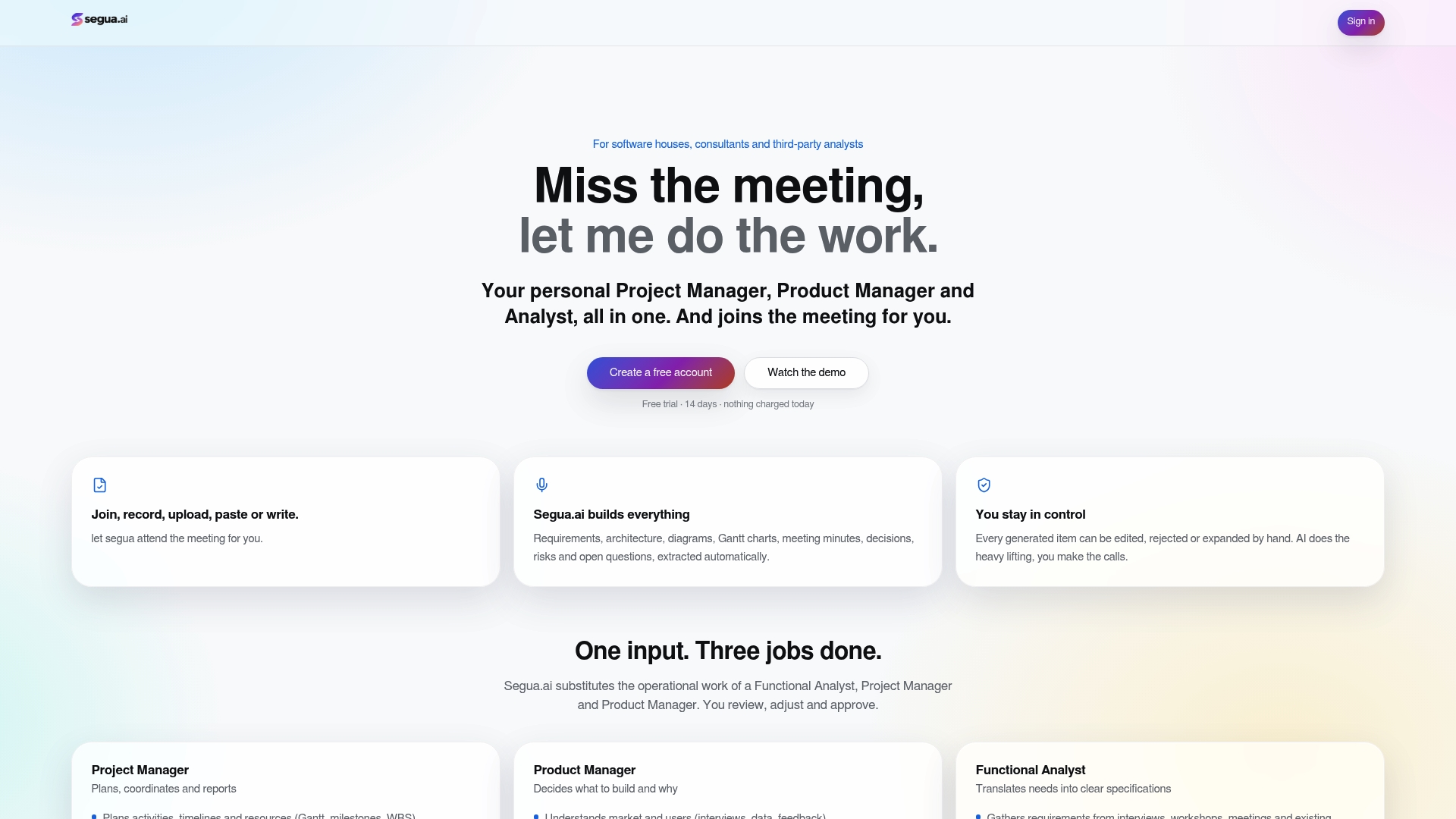
That matters most for teams with limited admin bandwidth who still generate requirements primarily from stakeholder meetings rather than formal documentation processes. Instead of a business analyst manually transcribing a call and then building out Jira issues by hand, Segua.ai does the drafting so the analyst reviews and refines instead of starting from a blank page. See how it fits your process on the use cases page, or compare it directly against AI notetakers and traditional project tools to see where the automation actually saves time. Plans start with a free trial, and the Pro plan runs $39 per month, with extra meeting hours billed at $2.50 per hour for teams that need more capacity.
Sources
- Enterprise Model for Requirements Management: Evaluation of Capability Gaps in Jira and Marketplace Applications
- Using Jira for Requirements Management
- Requirements Management in Jira (practical guide)
FAQ
Is Jira Being Phased Out?
No. Atlassian continues to actively develop and support Jira, and it remains the dominant issue-tracking tool for software teams. What’s changing is how teams use it for requirements specifically, with more teams pairing native Jira with Confluence, plugins, or external RM platforms rather than relying on Jira alone.
What Are The 5 Stages Of Requirement Gathering?
Most requirement gathering processes follow a consistent flow: elicitation (collecting input from stakeholders), analysis (clarifying and prioritizing), specification (documenting requirements formally), validation (confirming accuracy with stakeholders), and management (tracking changes over the requirement’s lifecycle). In a Jira-based workflow, elicitation and analysis often happen in meetings or Confluence, while specification and management move into Jira issues once work is ready for execution. Tools like Segua.ai can compress the elicitation and specification stages by generating draft requirement specs directly from meeting recordings.
What Are The Requirements For Jira?
If you mean technical requirements for running Jira, Atlassian publishes installation and platform requirements covering supported operating systems, databases, and infrastructure for self-hosted deployments. If you mean requirements for using Jira effectively for requirements management, the minimum setup includes a custom Requirement issue type, semantic link types, and a required acceptance criteria field.
What Does Jira Stand For?
Jira doesn’t stand for an acronym. The name comes from “Gojira,” the Japanese word for Godzilla, chosen as an internal joke referencing Bugzilla, a bug-tracking tool Atlassian’s founders used before building their own.
Do I Need A Plugin For Jira Requirements Traceability?
Not necessarily. Native Jira with disciplined custom fields and link types handles traceability for many teams, especially smaller ones without formal compliance obligations. You need a plugin or external RM platform once you require automated coverage calculation, immutable baselining, or audit trails that native Jira cannot generate on its own.